builddar.
1-month free trial Request a demo
On-site snag tracking

Capture a snag on site. Keep its full context.

A photo, a zone, a contractor and a deadline: your snags are ready to follow up from the first visit.

Site supervisors · Coordinators · Main contractors

Example on fictional data.

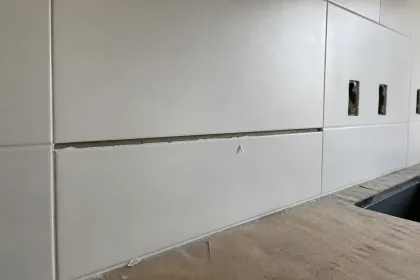
A photo alone does not say who needs to act.

Builddar’s snag tracking module lets you record defects from a phone or tablet, even without a connection. Each item links a photo to a location, trade and assignment, joining the same workflow as reports and handover.

Step 01

Locate the defect

Capture the snag on mobile or tablet and identify its zone. Capture remains available when the site has no connection.

On-site snag tracking

Tracking example

  • Building A · Level 1
  • Apartment 12 · Joinery
  • Handle needs adjustment
Step 02

Describe the required action

Attach the photo, assign the contractor and set the deadline. The context stays with the item from the moment it is recorded.

On-site snag tracking

Tracking example

  • Snag 24 · Photo
  • Martin contractors
  • Deadline recorded
Step 03

Continue tracking at the office

Review the snags to prepare the report and organise corrections. The link to the site visit remains intact.

On-site snag tracking

Tracking example

  • Report · Open items
  • Snag 24 · Open
  • Next step · Follow-up
What you work with

From capture to report, the same item.

The snag does not stay isolated in a photo gallery. It feeds site reports and snag lists, then the correction workflow with contractors.

  • A clear location and trade
  • Photos kept with the snag
  • Continuous tracking on subsequent visits

Read the method in our guide

Let’s talk about on-site snag tracking.

Tell us about your team and the documents you use. We will walk through the module on an example project, starting with your needs.

Would you rather talk it through?

+33 6 67 33 82 14

Request your demonstration

Builddar uses this information to answer your request: pre-contractual steps or legitimate interest for professional contacts. Required fields are necessary to handle the request; the message is optional. Recipients: Builddar, Cloudflare, Notion and Google Workspace. Retention: no more than 3 years after your last contact. Rights including access, rectification, erasure and objection: contact@builddar.com. Privacy policy and data transfers.

Your information is used only to answer your request.

Your questions, before you start.

Updated · Builddar